AI TL;DR
A detailed comparison of two leading AI-powered code editors. Discover key differences in features, pricing, and workflow to find your perfect coding companion.
Windsurf vs Cursor: Which AI IDE Should You Choose in 2025?
The AI-powered IDE war has intensified. While GitHub Copilot remains popular, two standalone AI code editors have emerged as serious contenders: Windsurf (formerly Codeium) and Cursor.
Both promise to revolutionize how you code, but they take fundamentally different approaches. After extensive testing with production projects, here's everything you need to know.
Quick Comparison
| Feature | Windsurf | Cursor |
|---|---|---|
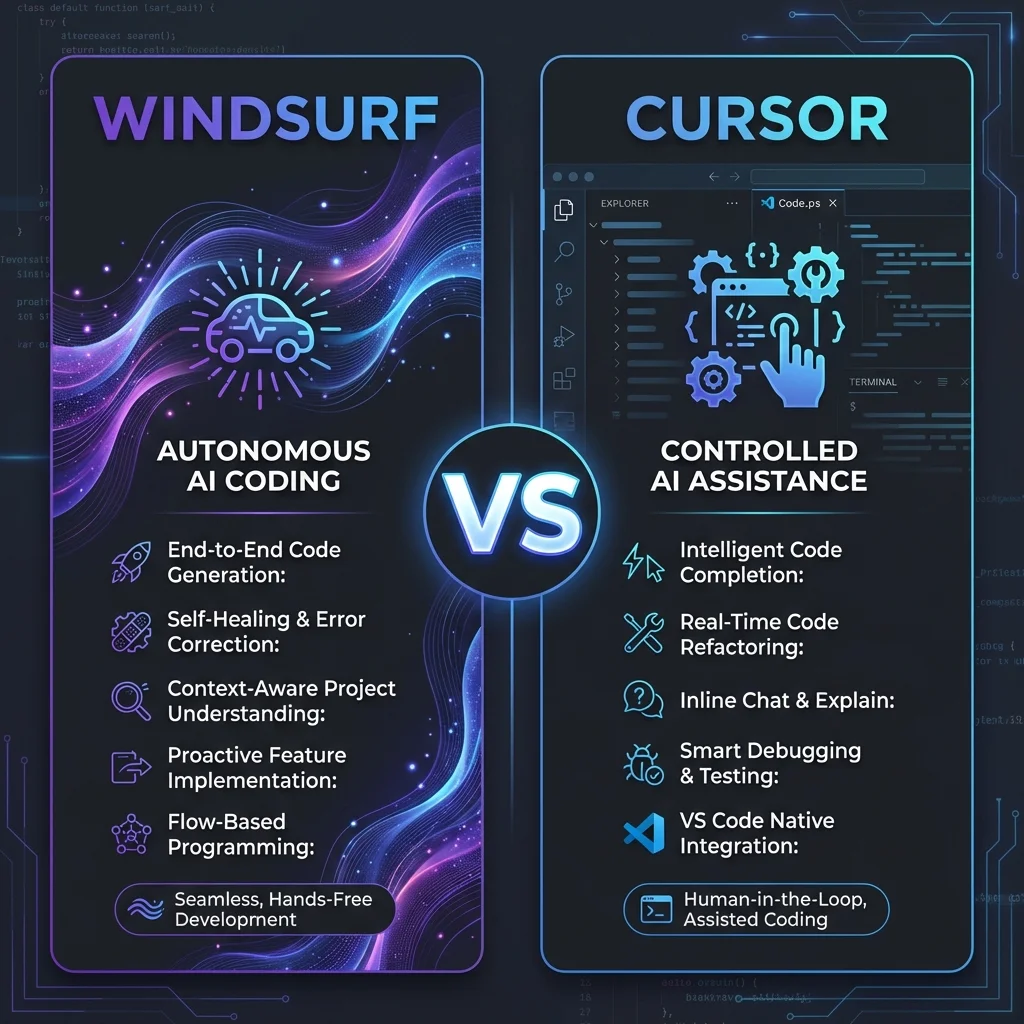
| Philosophy | Autonomous "self-driving" | Controlled "co-pilot" |
| Best For | Complex multi-file projects | VS Code power users |
| AI Agent | Cascade (highly autonomous) | Agent Mode (review-based) |
| Context Handling | Automatic full-repo | Manual @codebase tags |
| UI Style | Clean, minimal ("Apple-polished") | VS Code-based (familiar) |
| Starting Price | $15/month | $20/month |
| Free Tier | 5 prompts/month | 50 slow requests |
Breaking News: OpenAI Acquiring Windsurf
In a major industry move, OpenAI announced plans to acquire Windsurf (Codeium) in May 2025 for approximately $3 billion. This positions Windsurf as a strategic asset in OpenAI's developer tools ecosystem, potentially meaning:
- Deeper GPT model integration
- More resources for development
- Possible pricing changes
For now, Windsurf operates independently, but this is worth watching.
Windsurf: The "Self-Driving Car" Approach
What Is Windsurf?
Windsurf, which rebranded from Codeium in January 2025, markets itself as the "first agent-native IDE." It's built from the ground up for autonomous AI coding, not just AI-assisted coding.
The Cascade System
The heart of Windsurf is Cascade, a multi-tool AI agent that:
- Scans entire repositories to understand your project
- Selects relevant files automatically (no manual context tagging)
- Executes commands and runs tests
- Applies code patches directly without confirmation
Cascade operates in three modes:
| Mode | Description |
|---|---|
| Write Mode | Makes direct changes to your code |
| Chat Mode | Provides contextual help and explanations |
| Turbo Mode | Fully autonomous execution (minimal interruption) |
Key Features
✅ Automatic Context Selection – Cascade figures out which files matter ✅ Multi-File Editing – Handles complex refactors across your codebase ✅ Built-in Browser – Preview apps without leaving the IDE ✅ Memory Feature – Recalls past actions for task resumption ✅ 70+ Language Support – Including Python, JavaScript, Rust, Go ✅ Git Integration – GitHub, GitLab, Bitbucket built-in ✅ App Deployment – Quick launches for testing
Windsurf Pricing (2025)
| Plan | Price | Key Features |
|---|---|---|
| Free | $0 | 5 prompts/month, unlimited completions |
| Pro | $15/mo | 500 prompts/month, premium models |
| Teams | $30/user/mo | Pro features + team management |
| Enterprise | $60+/user/mo | SSO, RBAC, priority support |
Who Should Use Windsurf?
- ✅ Developers working on large, complex codebases
- ✅ Teams needing enterprise compliance (RBAC, SSO)
- ✅ Beginners who want minimal setup and guidance
- ✅ Anyone who prefers hands-off AI automation
Cursor: The "Co-Pilot" Approach
What Is Cursor?
Cursor is a VS Code fork that deeply integrates AI capabilities while maintaining the familiar interface millions of developers already use. Think of it as "VS Code + ChatGPT on steroids."
The VS Code Foundation
Because Cursor is built on VS Code:
- 🎨 Same themes, keybindings, extensions – Migrate in seconds
- 🔌 Extension compatibility – Your favorite extensions work
- 🧠 Familiar ergonomics – No learning curve
Agent Mode
Cursor's Agent Mode is powerful but different from Windsurf's Cascade:
- Explores repositories and reads documentation
- Browses the web for solutions
- Runs terminal commands
- Always asks for confirmation before committing changes
This gives you more control but requires more interaction.
Key Features
✅ Multiple AI Models – GPT-4o, Claude 3.5/3.7/4.0, Gemini 2.5
✅ Tab Completion – Predicts entire code blocks
✅ Manual Context Tags – @codebase and @files for precision
✅ Multi-Agent Interface – Cursor 2.0 introduced parallel execution
✅ Debug Mode – Dedicated AI-powered debugging (v2.2)
✅ Visual Editor – For visual code manipulation
Cursor Pricing (2025)
| Plan | Price | Key Features |
|---|---|---|
| Hobby | $0 | 2,000 completions, 50 slow requests |
| Pro | $20/mo | Unlimited completions, $20 credit pool |
| Pro Plus | $60/mo | 3x credit pool, extended context |
| Ultra | $200/mo | 20x credits, experimental models |
| Teams | $40/user/mo | Pro + team management, SSO |
Bonus: Free Pro for verified students for one year!
Who Should Use Cursor?
- ✅ Developers who love VS Code
- ✅ Those who want granular control over AI actions
- ✅ Solo developers focused on rapid prototyping
- ✅ Users who prefer reviewing diffs before applying
Head-to-Head Comparison
Context Handling
| Aspect | Windsurf | Cursor |
|---|---|---|
| Method | Automatic full-repo embeddings | Manual @codebase tags |
| Effort | Set and forget | Requires tagging |
| Accuracy | Excellent for large projects | Great for targeted queries |
Winner: Windsurf for large projects, Cursor for precision control
User Interface
| Aspect | Windsurf | Cursor |
|---|---|---|
| Style | Clean, minimal, custom | VS Code-based |
| Learning Curve | Easy for beginners | Easy for VS Code users |
| Clutter | Minimal | Can get busy with AI features |
Winner: Preference-based – Windsurf for clean, Cursor for familiar
Speed & Performance
| Aspect | Windsurf | Cursor |
|---|---|---|
| Fast Edits | Slower (deeper analysis) | Faster (local context) |
| Complex Tasks | Can slow down | May lag with large files |
| Completions | SWE-1 models (low latency) | Tab completion (fast) |
Winner: Cursor for speed, Windsurf for thoroughness
Autonomy vs Control
| Aspect | Windsurf | Cursor |
|---|---|---|
| AI Actions | Applies changes automatically | Shows diffs for review |
| Philosophy | "Self-driving car" | "Co-pilot" |
| Best For | Trusting AI to work | Reviewing each change |
Winner: Windsurf for autonomy, Cursor for control
Real-World Use Cases
When to Choose Windsurf
- Refactoring a legacy codebase – Cascade's full-repo understanding shines
- Enterprise environments – RBAC, SSO, compliance features
- Learning to code – Minimal UI, guided experience
- Multi-file feature development – Automatic context selection
When to Choose Cursor
- Daily VS Code user – Seamless transition, same extensions
- Debugging complex issues – Debug Mode + granular control
- Students – Free Pro tier for verified students
- Rapid prototyping – Fast completions and local context
The Verdict
| If You... | Choose |
|---|---|
| Want autonomous AI that "just works" | Windsurf |
| Love VS Code and want AI added | Cursor |
| Work on large, complex codebases | Windsurf |
| Prefer reviewing every AI change | Cursor |
| Need enterprise compliance | Windsurf |
| Are a verified student | Cursor (free Pro) |
| Have budget constraints | Windsurf ($15 vs $20) |
My Recommendation: If you're already productive in VS Code and want to add AI superpowers, start with Cursor. If you want a fresh, AI-first experience with deep codebase understanding, try Windsurf.
The good news? Both offer free tiers. Try both for a week and see which fits your workflow.
FAQ
Can I use both Windsurf and Cursor?
Yes! Many developers use Cursor for quick edits and Windsurf for complex refactoring.
Which is better for beginners?
Windsurf's cleaner UI and autonomous approach is generally more beginner-friendly.
Will OpenAI's acquisition change Windsurf?
Potentially. Better AI models are likely, but pricing and strategy may shift.
Do they work offline?
Both require internet for AI features. Local file editing works offline.
Related Tools to Explore
- GitHub Copilot – The industry standard
- Claude Code – Terminal-based AI coding
- Bolt.new – AI for building full apps
Recommended Reading
- Claude Code: The Ultimate Guide to Terminal-First AI Coding
- GitHub Copilot vs Cursor vs Codeium Compared
Last updated: January 2026